
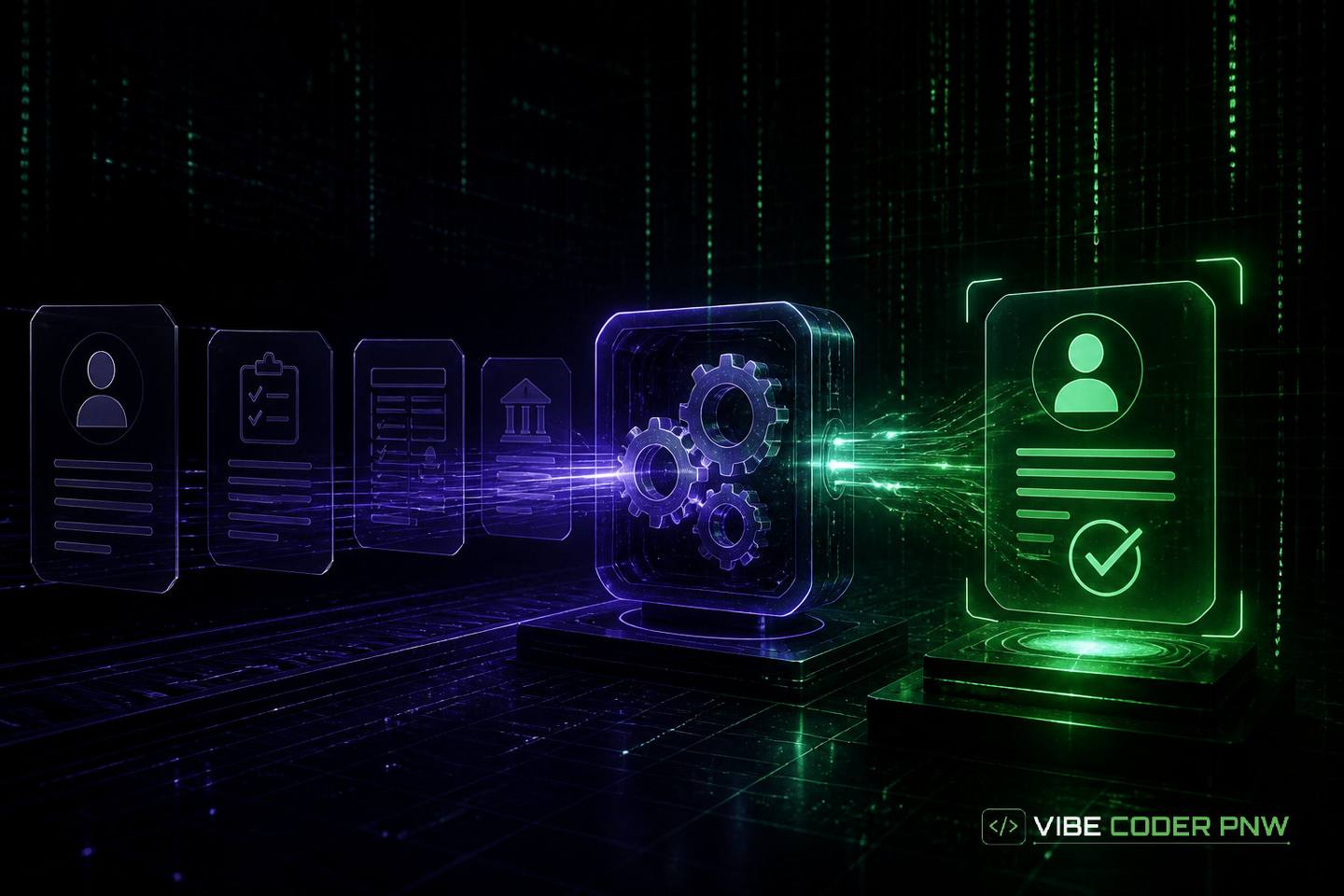
Automating Client Onboarding With Custom Software
Discover how tailor-made software replaces manual administrative intake, protects sensitive customer information, and helps your team start billable work faster.
Published
// key_takeaways
Key Takeaways
- Custom onboarding software coordinates client sign-ups, contract generation, and payment collection automatically, eliminating manual data entry mistakes for growing businesses.
- Companies should automate intake processes when administrative teams waste hours manually copying data, causing project delays and high client drop-off rates.
- Unlike standard no-code tools, custom platforms avoid third-party rate limits and subscription price increases during unexpected bursts of client sign-ups.
- Custom onboarding portals protect sensitive customer data by storing records in private databases using tailored encryption methods and strict user access permissions.
- Automating client intake reduces onboarding times from hours to minutes, allowing new clients to access services immediately and improving overall client satisfaction.
You just closed a major contract, but your team spent the next three days chasing signatures, copying client addresses into spreadsheets, and manually setting up account folders. New clients wait while your staff handles administrative paperwork instead of starting the actual work.
Automating client onboarding with custom software replaces manual paper trails with code designed around your precise business steps. A custom workflow engine is a computer program that moves data between systems, collects payments, verifies customer details, and grants portal access instantly.
What this means:
Building a tailored platform keeps new customers happy while freeing your team from repetitive back-office tasks.
What is custom client onboarding automation?
Custom client onboarding automation is the practice of using tailor-made software code to guide new customers through sign-up, document execution, identity verification, and account configuration. Instead of relying on manual email attachments and staff data entry, custom software coordinates every step automatically according to your exact business rules.
Basic web forms can collect simple text, but they cannot handle multi-step business logic. Custom software links your public website directly to your internal software stack.
How data moves through an automated system:
When a client submits their details, the system runs immediate checks. It can validate tax numbers, create new client database entries, and trigger custom contract templates without any human intervention.
[ Client Form ] ──► [ Custom API Engine ] ──► [ Payment Gateway ] │ ├──► [ Contract Generator ] └──► [ Secure Client Database ]
Why this matters:
Every automated intake system relies on core technical components working together behind the scenes:
- Identity verification checks that confirm client credentials against official databases in real time.
- Automated contract generation using electronic signature tools triggered by real-time notification alerts called webhooks.
- Payment collection systems that create recurring billing profiles before granting software or portal access.
- Account provisioning logic that sets up secure user folders, assigns team permissions, and sends custom welcome packages.
Standard form plugins store information in isolated text files. Engineered workflow platforms validate inputs, process payments, and write data directly into your primary database.
A database is an organized digital storage system where your software securely holds customer records. Connecting these components with custom code ensures your intake process runs identically for every client every time.
When should you automate client onboarding?
You should automate client onboarding when your administrative team spends more than a few hours per client on manual intake tasks, when client drop-off rates spike during sign-up, or when standard off-the-shelf software tools cannot meet your privacy, security, and custom integration requirements.
Growing businesses often hit a ceiling where administrative work consumes the team. When onboarding takes days instead of minutes, prospective clients get anxious or look elsewhere.
Recognizing friction points in your workflow:
Operational bottlenecks show up clearly in day-to-day work. Identifying these friction points helps you decide when manual processes must give way to code.
Key operational warning signs include:
- Excessive administrative hours spent manually copying customer records between email accounts, accounting tools, and project management apps.
- Frequent data entry mistakes such as misspelled client names, incorrect billing addresses, or missing tax identification details.
- High drop-off rates during sign-up caused by confusing email chains, printed paper requests, or broken third-party web forms.
- Delayed project kickoff times that force project managers to wait days for administrative sign-off before beginning billable work.
- Strict regulatory compliance needs like healthcare privacy standards or financial background checks that generic web forms cannot support.
Manual intake creates security vulnerabilities when staff share sensitive documents over standard email. Email accounts are easily targeted by attackers and lack audit logs.
Custom onboarding platforms protect sensitive data by enforcing strict user access limits. They also maintain complete records of every action taken during client intake.
Key advantages of custom onboarding workflows
Custom onboarding workflows eliminate the friction of human data entry and cut administrative costs. They transform a messy intake process into a consistent brand experience.
By taking control of the code, you design every screen and background rule to fit your operational goals. This direct control delivers several long-term operational benefits.
Zero manual data entry errors
When human staff copy names, tax IDs, and bank details between platforms, mistakes happen. A single typo in an email address can derail a project launch.
Custom software uses Application Programming Interfaces, or APIs, to move data between systems. An API is a set of rules that allows two separate computer software applications to talk to each other directly. Think of an API like a digital messenger delivering exact requests between systems.
Benefits of automated data transfers:
Computer systems pass data back and forth without human typing. This automated transfer guarantees total accuracy across your accounting, billing, and project tracking tools.
Faster client time-to-value
Time-to-value measures how quickly a new client sees real results after purchasing your service. Longer delays increase the risk that a customer regrets their purchase decision.
Automated client intake systems complete paperwork, verify payment details, and deliver access instructions within seconds. Clients start using your service immediately while their excitement is high.
Tailored security and permission controls
Off-the-shelf software tools store client records on shared cloud systems where you cannot control database settings or server locations. This shared setup can violate industry data rules.
Custom software allows you to pick exact data storage locations and encryption methods. Encryption is a security process that scrambles readable text into secret code so only authorized users can read it.
Granular permissions and access:
Custom platforms also use strict access rules. Staff members see only the specific customer records required to complete their daily tasks.
Real-world efficiency gains
Consider a boutique accounting firm onboarding thirty new commercial clients each month. Manually requesting tax forms, creating folders, sending contract agreements, and setting up billing profiles takes three hours per client.
Manual Intake: [3 Hours per Client] × 30 Clients = 90 Staff Hours / Month Custom Software: [5 Minutes per Client] × 30 Clients = 2.5 Staff Hours / Month
The practical effect:
Switching to a custom onboarding portal cuts manual effort down to five minutes per client. The firm saves over eighty hours of high-cost staff time every month.
Off-the-shelf tools versus custom software
Many business owners start by linking low-cost online tools together using no-code automation platforms. No-code tools let users build basic software actions using visual menus instead of writing raw programming code.
While no-code stacks work well for simple intake forms, they often struggle as your business scales up. Growing companies hit strict technical boundaries that require custom engineering.
| Performance Dimension | No-Code Off-the-Shelf Tools | Custom Software Platform |
|---|---|---|
| Data Privacy & Control | Third-party cloud servers with shared database rules | Private owned database with tailored encryption |
| Workflow Flexibility | Restricted to pre-made templates and simple actions | Unlimited logic built for your specific business operations |
| API Rate Limits | Prone to unexpected errors during high-volume spikes | Direct server connections optimized for maximum speed |
| Long-Term Costs | Monthly per-user or per-task recurring SaaS subscription fees | One-time investment with predictable hosting costs |
| User Experience | Third-party branding, external domain links, and rigid forms | Fully branded portal on your own web domain |
Off-the-shelf SaaS apps charge fees that increase as your client count grows. SaaS, or Software as a Service, refers to pre-built software applications rented on a recurring monthly subscription basis.
As your intake volume grows, monthly subscription fees across six or seven separate tools add up quickly. You are effectively paying a recurring tax on your own business growth.
Technical limitations of no-code connectors:
No-code connection services also enforce strict rate limits. A rate limit is a cap set by a software vendor that limits how many automated actions your system can run within a given minute or hour.
When your marketing campaigns trigger a burst of new sign-ups, third-party connectors can hit rate limits and fail. Important client files get dropped, and payment notices fail to send.
The custom server advantage:
Custom software runs on dedicated cloud servers designed for high performance. Your software executes operations directly without arbitrary third-party rate caps blocking sign-ups during peak growth periods.
How to build a custom onboarding system
Building a custom onboarding system requires mapping every step of your intake process, selecting secure third-party software connections, writing dedicated back-end logic, and crafting a simple front-end portal. Once built, rigorous mobile and desktop testing ensures new clients complete every step without getting stuck or needing manual staff assistance.
Creating an automated client intake platform follows a clear technical development path. Taking time to plan each layer prevents rework later on.
1. Map the client journey
Document every single step a client takes from the moment they pay a deposit to their official project kickoff meeting. Identify which tasks require customer input and which run in the background.
Group inputs logically so clients never see long, overwhelming forms. Breaking intake into short steps raises completion rates significantly.
2. Connect core external services
Identify the external software platforms your onboarding system must talk to using secure API keys. Most commercial platforms connect four main services:
- Payment processing gateways to charge credit cards or establish bank transfers securely.
- Electronic signature systems to generate legal agreements and collect legally binding signatures.
- Identity verification engines to double-check government IDs, business licenses, or tax details.
- Primary database systems to save customer profile records and trigger team notifications.
3. Build the front-end user portal
The front-end is the visual screen, buttons, and form layouts that your clients see on their web browser or mobile phone. Keep the design clean, fast, and completely free of clutter.
[ Step 1: Profile Details ] ──► [ Step 2: Contract Review ] ──► [ Step 3: Payment ]
What this means:
Include clear progress bars so clients know how many steps remain. Ensure every form screen works cleanly on small smartphone screens as well as wide desktop monitors.
4. Code the back-end business logic
The back-end is the code running on cloud servers that processes submitted data, runs safety checks, and manages database records behind the scenes.
Your back-end code must handle exceptions gracefully. If a client inputs an invalid credit card or an incorrect tax number, the system should show a friendly correction prompt instead of failing silently.
5. Test edge cases and mobile response
Before releasing your software to real clients, test every edge case thoroughly. An edge case is an unusual or rare situation that can crash poorly written software code, such as a client uploading an unsupported file type or losing internet connectivity halfway through a form.
Simulate weak mobile network connections to ensure submitted forms save progress reliably. Thorough testing keeps your brand looking professional when real clients sign up.
How long does custom onboarding automation take?
Building a custom onboarding system typically takes between eight and sixteen weeks from initial discovery to live production launch. The exact timeline depends on the number of third-party software integrations required, regulatory compliance checks, and the overall complexity of your customer validation rules.
A custom software project moves through four main phases. Every phase ensures the final platform matches your operational needs.
- Weeks 01-03: System Architecture & Workflow Mapping
- Weeks 04-08: API Connections & Back-End Development
- Weeks 09-12: Front-End UI Design & Portal Build
- Weeks 13-16: Security Audits, QA Testing & Launch
Phase 1: Architecture and Workflow Mapping (Weeks 1 to 3)
Engineers meet with your operations team to map every data field, document requirement, and customer communication rule. The technical team drafts system design blueprints that outline how data will flow between systems.
Phase 2: API Connections and Back-End Code (Weeks 4 to 8)
Developers write the server code that talks to your payment processors, contract platforms, and databases. They establish secure data connections and write verification rules that process inputs automatically.
Phase 3: Front-End User Experience Design (Weeks 9 to 12)
Designers create intuitive screens that guide clients through sign-up. Developers turn those visual designs into mobile-responsive web pages that look great on any device.
Phase 4: Security Audits, Testing, and Production Launch (Weeks 13 to 16)
The software undergoes rigorous security checks to protect client records. Your team tests the platform in a simulated environment to verify that every workflow step executes accurately.
Once testing finishes, developers launch the software on your primary domain. Your intake process shifts overnight from slow manual administration to an instant, background digital pipeline.
The bottom line
Manual client intake slows business growth, frustrates new customers, and wastes hours of valuable staff time on administrative copy-paste work. Replacing manual intake tasks with dedicated software code guarantees data accuracy, secures client information, and speeds up time-to-value for every customer you serve.
If you are ready to replace slow administrative intake routines with dedicated code, custom web application engineering services can design and deploy a secure onboarding engine built around your precise business operations.
Final takeaway
Imagine checking into a hotel where a worker handwrites your address, photocopies your card, and runs upstairs to unlock your room. Custom onboarding software acts like a smart keycard kiosk that processes your payment and hands over your room key in seconds. Your clients enter immediately while your staff stays focused on important work.
- Custom onboarding software replaces manual intake paperwork with automated code built for your exact steps.
- Automating intake data transfers prevents human typing errors and gives new clients access within seconds.
- Custom workflow platforms provide better data privacy and flexible integration rules than off-the-shelf software.
// frequently_asked
Questions and Answers
// reference
Cite this guide
- Title
- Automating Client Onboarding With Custom Software
- Author
- Vibe Coder PNW
- Published
- Updated
- URL
- https://vibecoderpnw.com/blog/automating-client-onboarding-with-custom-software
- Website
- Vibe Coder PNW
Suggested citation
Vibe Coder PNW. “Automating Client Onboarding With Custom Software.” Vibe Coder PNW, published August 26, 2026; updated October 5, 2026. https://vibecoderpnw.com/blog/automating-client-onboarding-with-custom-software.
// related_on_this_site
// comments