
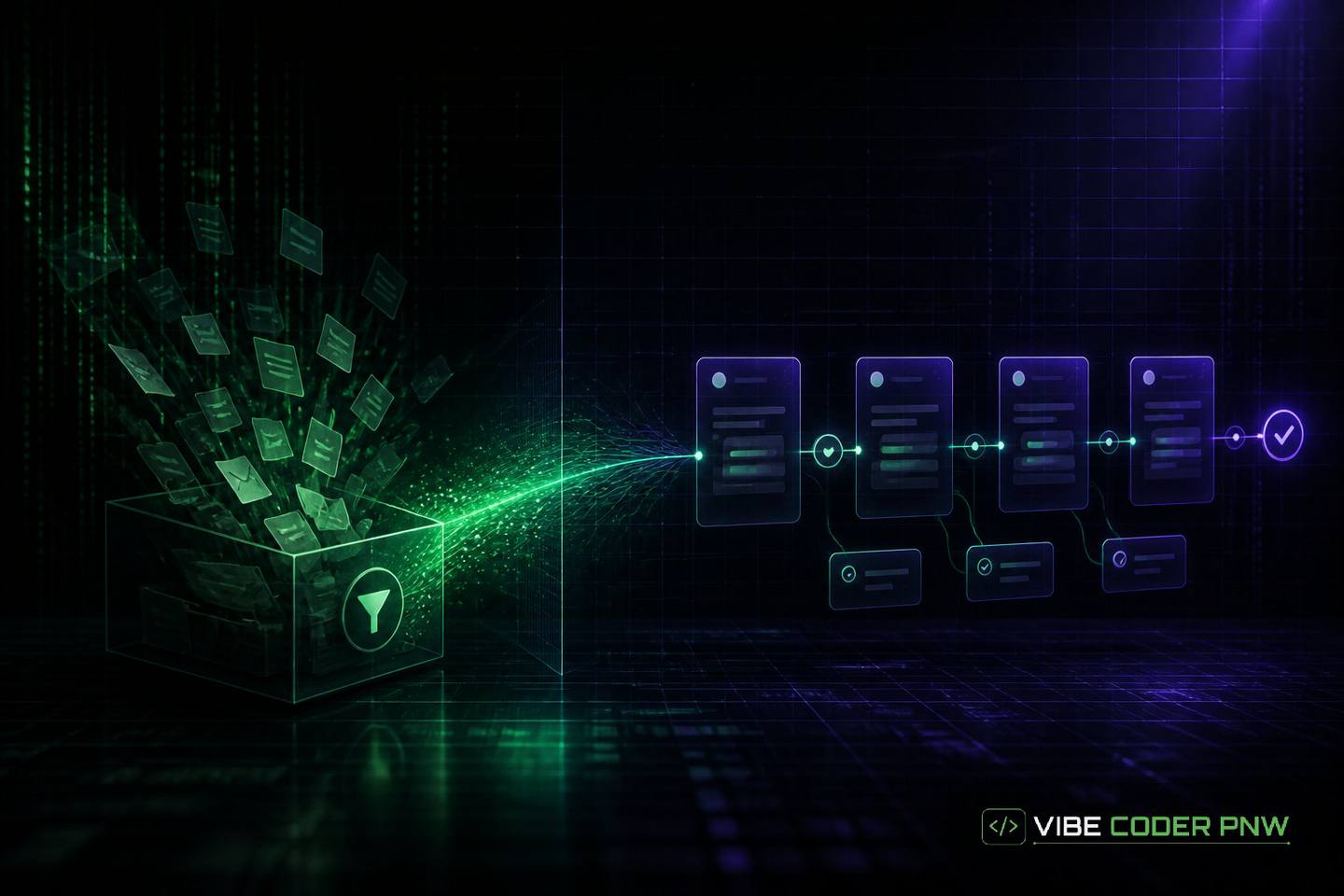
Replacing a Shared Inbox With a Real Ticketing Workflow
Learn how replacing your shared team inbox with an organized ticketing workflow prevents lost customer requests, stops conflicting employee replies, and clarifies work ownership.
// key_takeaways
Key Takeaways
- Moving from a shared inbox to a ticketing system converts raw emails into organized database records with clear staff ownership.
- Automated routing rules evaluate incoming message properties to assign support tickets to specific team members without manual email forwarding.
- Active visual locking prevents agent collision, which occurs when multiple employees unknowingly send overlapping replies to the same customer email thread.
- Email parsers convert unstructured message text and metadata into searchable database fields that automatically link replies to existing tracking identifiers.
- Automated escalation pathways notify managers when high priority customer support requests sit unassigned or unresolved past defined operational deadlines.
Managing incoming customer messages through a basic email account works well when a company is small. As client inquiries increase, team members start missing messages or sending overlapping replies.
Moving from a shared inbox to a ticketing system converts unstructured email threads into organized database records with clear staff ownership. A ticketing system is a central software platform that automatically ingests incoming messages, assigns tracking numbers, and routes work to specific team members. Ingestion means converting raw incoming emails into structured database fields.
What this means:
This operational shift prevents lost inquiries and provides complete visibility over team workflows.
Scenario: How a regional service firm hit the shared inbox ceiling
A regional industrial repair firm started support operations using a single shared email account. The company had three team members monitoring one inbox address for service calls, warranty claims, and billing questions.
The team relied on basic inbox tools like manual color labels and message forwarding to delegate work. When a new customer request arrived, the general manager forwarded the message to an available field technician.
The initial support setup
The technician replied directly from their individual work email account. This workflow left the main inbox out of the loop and created immediate visibility gaps across the organization.
Manual triage is the process of hand-reading incoming messages to decide who should handle them. As incoming message volume grew, manual triage created severe operational friction.
- Unassigned inquiries: Messages sat unread for hours because staff members assumed someone else was handling them.
- Lost attachments: Technical diagrams and purchase orders were scattered across individual employee inboxes.
- Accidental archiving: Staff members marked unread threads as complete while clearing their private inbox view.
When internal communication breaks down, customer satisfaction drops quickly. Implementing business process automation became necessary to eliminate confusion, centralize customer records, and scale service operations smoothly. Business process automation is the use of software to execute recurring tasks without manual human intervention.
Conflicting replies and agent collision
Agent collision occurs when two employees unknowingly draft and send separate replies to the same customer email thread at the same time. At the repair firm, this happened multiple times every week.
In one instance, a technician told a client that a field visit would cost three hundred dollars. An account manager emailed the same client five minutes later offering a complementary visit under warranty.
Uncoordinated replies hurt the company reputation and created accounting disputes.
Customers received conflicting promises, and accounting staff spent hours reconciling conflicting invoice adjustments.
Breakdown of operational visibility
When the firm expanded to eight technicians, the shared inbox ceiling became a major operational wall. Management could not see how many requests were pending, who was overloaded, or how long clients waited for answers.
Searching for past conversation history required asking every employee to search private sent folders. Important institutional memory disappeared whenever a technician left the company.
- No response tracking: Management could not monitor open ticket response times or set service deadlines.
- Siloed history: Conversation records remained locked inside personal sent folders across multiple computers.
- Knowledge loss: Customer project context vanished whenever employees changed roles or left the firm.
Why move from a shared inbox to a ticketing system?
Moving from a shared inbox to a ticketing system is an operational upgrade that converts raw emails into single database records. A ticketing system is a central software workspace that routes requests, locks active messages to prevent duplicate responses, and tracks issue completion. This gives teams explicit task ownership and accurate operational metrics.
Instant ownership clarity
In a shared inbox, an unread message belongs to everyone and no one simultaneously. Employees waste time messaging each other to ask who is taking care of a customer.
A dedicated request queue solves this by assigning every ticket to a single agent or queue upon arrival. Once a ticket has an assigned owner, other team members immediately see that it is being handled.
Automated status tracking
Standard email programs only offer read, unread, and flagged states. They cannot reflect real operational statuses like waiting for parts, scheduled for site visit, or pending client invoice approval.
A ticketing workflow tracks status transitions automatically. When work moves from open to in progress or pending customer, the system updates the record so anyone on the team can inspect progress instantly.
Centralized audit trails
When communication runs through a database, every reply, internal note, and file upload attaches to a single perpetual record. New staff members can view the entire service history of any customer account in seconds.
Following established OWASP application security guidance keeps these customer records and audit logs secure from external data exposure. OWASP application security guidance provides standard defensive practices for protecting web applications and sensitive customer databases.
| Feature | Shared Email Inbox | Dedicated Ticketing System |
|---|---|---|
| Ownership | Ambiguous and manual | Explicit single-agent assignment |
| Collision Prevention | None (agents reply simultaneously) | Active locking and visual typing indicators |
| Status Flags | Limited (Read / Unread / Starred) | Custom stages (Open, Pending, Escalated, Closed) |
| Conversation History | Trapped in individual sent folders | Central searchable database record |
| Operational Metrics | None | Real-time response and resolution reporting |
Stage 1: Mapping internal request types and routing rules
Moving away from a shared inbox requires structuring how work enters your business. Incoming emails must transform from raw, unformatted text into categorized requests with defined priority levels.
Mapping request types allows your software system to route tasks automatically. This structured organization cuts out manual email forwarding entirely.
Categorizing unstructured email text
Raw customer emails arrive in unpredictable formats. One email might contain an urgent system breakdown notice, while another asks a routine question about an invoice.
The first step in system mapping is defining request tiers based on business function and urgency.
- Emergency support: High-priority service disruptions requiring immediate response within 30 minutes.
- Standard service calls: Routine maintenance requests scheduled during normal business hours.
- Billing inquiries: Payment updates, invoice requests, and account changes routed to finance.
- General inquiries: Product questions and sales leads routed to account managers.
Establishing automated routing rules
Once categories are defined, routing rules handle ticket distribution automatically without human triage. Routing software checks incoming message properties against defined business logic rules.
- Sender domains: Messages from priority customer domains route directly to dedicated account managers.
- Keyword detection: Subject lines containing terms like outage or emergency bypass normal queues for instant alert dispatch.
- Round-robin distribution: Balanced routing distributes standard support tasks evenly across available online agents.
Designing escalation pathways
Service disruptions and missed target response times require automated escalation. An escalation pathway shifts unresolved tickets to senior staff or managers after specific time limits expire.
For instance, if an emergency repair ticket remains unassigned for 15 minutes, the system sends immediate notifications to the operations director.
Standard escalation timelines for operational response:
- 15 minutes: High-priority ticket flagged as unassigned sends SMS alerts to team leads.
- 60 minutes: Unresolved emergency ticket escalates directly to operational directors.
- 24 hours: Standard support request without an initial reply triggers a manager review flag.
Building automated workflow engines ensures that critical requests never sit unnoticed in a queue while team members are focused on other tasks. Automated workflow engines are software systems that execute multi-step business rules automatically based on predefined triggers.
Stage 2: Converting raw emails into structured data
The core engine of a ticketing platform is an email parser that turns raw messages into structured database records. An email parser is a software program that reads plain text emails and extracts specific data fields like sender, date, subject, and body content.
Converting unstructured text into database fields makes incoming information searchable, assignable, and measurable. This technical transition takes place in the background without changing how your customers communicate with your team.
Building background ingestion pipelines
An ingestion pipeline is a background software application that connects directly to your email server. It monitors incoming mail using standard email protocols and processes new messages instantly.
Think of an email parser like a postal sorting machine that scans incoming mail envelopes, reads the address label, attaches a tracking sticker, and drops the letter into the exact department box.
- Server polling: Connects to mail servers continuously via secure mail protocols.
- Payload parsing: Separates email headers, text bodies, and attached files into distinct data streams. A payload is the actual data content carried inside a message transmission.
- Database insertion: Writes sanitized data records into relational database tables.
Extracting key metadata
Metadata is the hidden context surrounding a message, including sender headers, send timestamps, and thread identifiers. Extracting metadata transforms plain text into actionable database entries.
- Sender identity: Matches incoming email addresses against your customer account table.
- Message context: Thread headers group related email replies under a single parent ticket record. Header data contains routing information attached to the top of an email transmission.
- Attachment handling: Extracts PDF files and images, saving them securely in cloud storage linked to the ticket ID.
Generating unique tracking identifiers
Every incoming request receives a unique reference code, such as TKT-8841. The system inserts this tracking code into automated auto-responders and subject lines.
When a customer replies to any email containing their ticket code, the ingestion system reads the identifier and attaches the new message directly to the existing database thread.
- Unique ticket IDs: Ensure every email reply reconnects automatically to the original thread.
- Automated confirmation: Sends an instant email receipt containing the reference tracking code.
Focusing on custom internal tools development ensures your incoming data pipelines run reliably and scale alongside your business volume. Internal tools development involves creating tailored software applications specifically designed for employee workflows and company operations.
What changes after moving to a managed workflow?
Moving to a managed workflow replaces ambiguous email chains with structured task records, visual agent activity flags, and automated customer updates. Workflows assign clear ticket ownership so employees avoid duplicate replies. Managers gain continuous reporting on response speeds, while customers receive automated receipt notices and status alerts.
Eradicating duplicate work and agent confusion
With structured workflows, team members never wonder who is handling a ticket. When an agent opens a ticket, the application flags the record as locked or in-use.
Other staff members see a visual notification that their colleague is actively drafting a response. This simple technical safeguard stops collision and saves hours of wasted effort every week.
Data-driven operational metrics
A managed request system collects performance data on every step of your support operations. Managers get clear dashboards showing real team performance instead of relying on guesswork.
- First response time: Measures the exact minutes between ticket creation and initial agent reply.
- Average resolution duration: Tracks total time required to resolve issues from open to close.
- Agent workload balance: Displays active open tickets assigned to each team member in real time.
Operational managers can review Bureau of Labor Statistics data on administrative workflows to compare team capacity against national benchmarks. Bureau of Labor Statistics data provides public economic and labor metrics across industries.
Automatic customer status updates
Customers get frustrated when their emails enter a silent inbox without acknowledgement. A managed system sends instant confirmation emails with ticket tracking numbers as soon as a request arrives.
When technicians update a ticket status from pending to scheduled or resolved, the system triggers automated notification emails to the client.
- Creation receipt: Notifies the sender that their inquiry was logged with a reference code.
- Status update: Informs clients when work transitions between technical departments.
- Resolution confirmation: Requests client verification before closing the support record.
This automated transparency keeps clients informed and reduces inbound follow-up calls by a substantial margin.
Guidelines for building your custom request system
Building an internal request workflow requires balancing system security, ease of use, and integration with existing tools. A successful build improves operational speed without disrupting daily business routines.
Following key architectural practices ensures your new platform delivers immediate value to both staff and clients.
Preserving customer habits
Never force customers to adopt complicated web portals if they prefer email. Your existing public support email addresses stay active and forward automatically into the backend ingestion system.
Customers continue emailing support@company.com exactly as they always have. They receive organized service without having to change their communication habits.
Integrating with internal business systems
A custom request platform yields maximum value when connected to your existing internal software. Direct database integration lets agents view customer contract details, equipment history, and past invoices without switching screens.
For example, connecting your ticketing workflow directly to an inventory database allows support agents to check part availability while reviewing client requests. A quote request system for material handling equipment is a specialized internal tool for estimating costs and equipment specs in supply chain logistics.
- Inventory links: Check parts and stock levels directly inside customer support tickets.
- Contract history: View client SLA tiers and warranty terms automatically alongside incoming requests.
Adhering to modern W3C web standards ensures your internal tools load quickly and function properly on desktop computers and mobile devices. W3C web standards are technical guidelines maintained by the World Wide Web Consortium to ensure browser compatibility and software accessibility.
Streamlining status transitions
Keep your ticket status workflows simple. Complex state machines with dozens of mandatory fields frustrate employees and lead to inaccurate data entry. A state machine is a software design pattern that defines fixed stages and valid transitions for a piece of data.
Stick to clear, straightforward status transitions such as Open, Pending Customer, In Progress, and Resolved. Clean status models make staff onboarding fast and keep operational reporting accurate.
Moving away from email clutter creates an organized foundation for business growth.
Replacing a disorganized inbox with a custom request platform turns daily operational confusion into a predictable workflow. Scoped software subscriptions resolve ticket collision, surface real response metrics, and keep client communication organized.
When your team is ready to streamline support operations and move from a shared inbox to a ticketing system, start your project intake to discuss your requirements with our engineering team.
Final takeaway
A shared email inbox acts like a pile of sticky notes dumped onto a central desk where anyone can grab any request. A ticketing system functions like a restaurant kitchen order wheel, placing every incoming request in sequence with an assigned chef. This structure stops staff from preparing the same order twice or leaving customer requests forgotten on the counter.
- Moving to a ticketing system assigns clear single ownership to every incoming customer request.
- Visual collision locks prevent multiple team members from sending conflicting responses to the same client.
- Automated routing rules instantly turn disorganized incoming emails into categorized database records.
// frequently_asked
Questions and Answers
// reference
Cite this guide
- Title
- Replacing a Shared Inbox With a Real Ticketing Workflow
- Author
- Bojack Semaj
- Published
- URL
- https://vibecoderpnw.com/blog/replacing-a-shared-inbox-with-a-real-ticketing-workflow
- Website
- Vibe Coder PNW
Suggested citation
Bojack Semaj. “Replacing a Shared Inbox With a Real Ticketing Workflow.” Vibe Coder PNW, published November 15, 2026. https://vibecoderpnw.com/blog/replacing-a-shared-inbox-with-a-real-ticketing-workflow.
// related_on_this_site
// comments
0 comments
// keep_reading
Rented Ground: Why Relying on Big Platforms Always Ends in Surprise Policy Changes
Discover why relying entirely on digital marketplaces puts your business at risk, and learn practical steps to protect your brand with owned web channels.
read →[ Strategy ]One-Sided Rules: Why Platforms Can Train AI on Your Products, but You Cannot Use Their Data
Part 2 compares Etsy’s content license with its restrictions on outside AI use, then separates your original assets, approved exports and customer permissions.
read →[ Strategy ]Etsy and Meta AI Terms Update: How Platforms Can Now Train AI on Your Photos and Listings
Part 1 of 4: what Etsy's December 16 terms say, what happened to Meta's paused Instagram update, and why US sellers have no opt out.
read →