
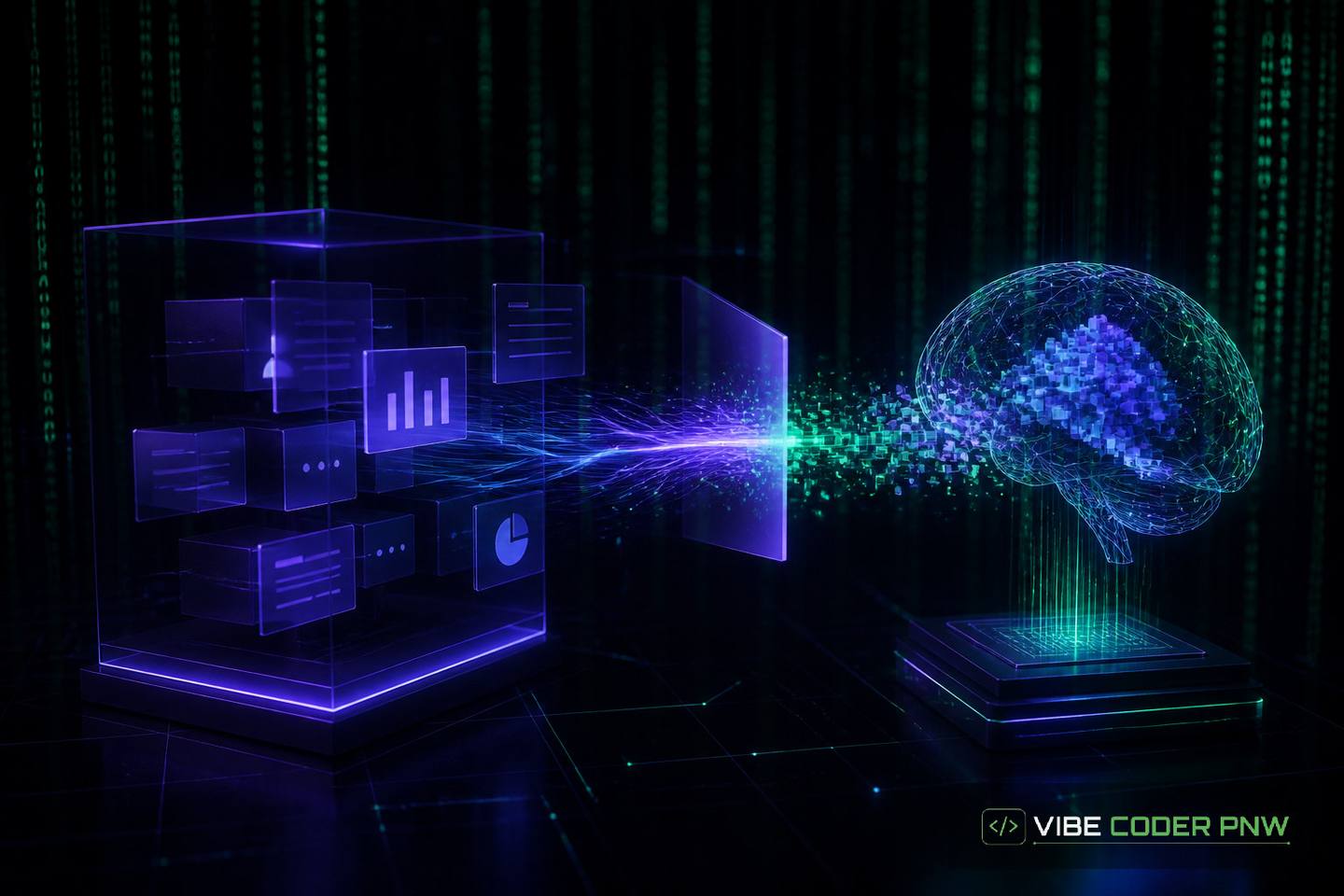
Adding AI to an Existing Business Application
Learn how upgrading your existing software with automated tools can eliminate manual data entry, protect historical records, and improve daily staff efficiency without building a new system.
// key_takeaways
Key Takeaways
- Upgrading an existing application connects automated tools to your current database, preserving historical records and avoiding costly software rebuilds.
- Middleware acts as a protective software bridge that scrubs private data and checks results before updating your primary database.
- Preventing hallucinations, where algorithms generate false information, requires strict database scope limits and human approval steps for major decisions.
- Cloud APIs handle general text processing quickly, whereas self-hosted models keep confidential financial and health records fully within private network servers.
- Caching frequent queries locally reduces cloud fees and prevents unexpected charges caused by processing large text payloads repeatedly across external networks.
Your company relies on a core web portal to track customer orders and manage daily work, but your staff spends half their shift typing the same information across different forms. The software still works, yet simple tasks like summarizing support calls or filing invoices take up hours of manual labor every afternoon.
Adding AI to a business application means connecting automated algorithms directly to your existing database so routine steps happen automatically. An algorithm is a set of step-by-step instructions a computer program follows to process information. Connecting these tools through secure software pathways allows your business to save time, keep historical records safe, and upgrade familiar daily screens.
What does adding AI to a business application mean?
Adding artificial intelligence to a business application means connecting software logic and natural language tools directly to your current database. Instead of replacing your core software, engineers attach secure connectors that read stored files, analyze incoming documents, and pre-fill daily forms automatically for your team.
Upgrading software without replacing core code
Think of your existing software like a steady delivery truck that carries your business data every day. You do not need to buy a brand new truck to get better navigation.
Instead, you install a smart dashboard system on top of the steering column. The truck keeps its reliable engine while gaining real-time instructions on the fastest routes.
What this means:
When you enhance software with intelligent features, three core components work together behind the scenes:
- The Database: A structured digital filing cabinet where your software saves customer profiles, order histories, and financial records.
- The User Interface: The visual screens, buttons, and forms your employees click on every day to perform their duties.
- The Application Programming Interface: An application programming interface, or API, is a secure software bridge that lets two different computer applications send messages to each other.
Core functional areas for software enhancement
Modern software updates focus on three distinct operational capabilities:
- Data processing automation: Extracting text from uploaded PDF invoices or contracts and saving key details directly into database fields.
- Text generation and summarization: Drafting initial customer email replies, generating internal reports, or summarizing phone call transcripts for account managers.
- Intelligent task routing: Reading incoming customer support messages and assigning urgent requests to specific department workers.
Connecting these features directly to your current system preserves existing server code while removing tedious manual data entry.
Why upgrade existing applications instead of building new ones?
Upgrading an existing application keeps your operational database, financial histories, and custom employee workflows intact while adding automated capabilities. Rebuilding software from scratch requires significantly higher expenses, creates operational downtime, and disrupts daily work, whereas upgrading adds immediate automated features directly to familiar employee screens.
Preserving institutional knowledge and operational history
Your current database holds years of customer activity, inventory logs, and accounting history. Replacing the entire platform risks losing or corrupting this historical information during complex migration steps.
A legacy application AI upgrade attaches smart tools directly to your running database without altering original records. Your core business rules and security settings remain exactly as they are today.
Reducing training time and operational friction
When you introduce completely new software, team productivity drops while employees learn new menus and button locations. Adding intelligent features to screens your staff already uses daily eliminates retraining delays.
Your team continues using the exact same login screen and primary navigation layout. Automated suggestions and pre-filled form fields now speed up their daily routine.
| Factor | Rebuilding Software From Scratch | Upgrading Existing Application |
|---|---|---|
| Development Timeline | 8 to 18 months | 2 to 6 months |
| Data Migration Risk | High risk of record loss | Low risk, uses current database |
| Staff Retraining | Extensive team learning required | Minimal learning on familiar screens |
| Cost Structure | High upfront rebuild budget | Scoped update with managed subscription |
| Operational Continuity | High risk of system downtime | Continuous operation during updates |
Signs your application is ready for artificial intelligence
An application is ready for an upgrade when staff spend hours manually copying data between screens, your database contains structured historical files, and operational delays come from slow text review. If your database is stable and organized, adding automated data handling delivers immediate speed improvements across daily workflows.
Here are the primary signs that your operational software is ready for an upgrade:
- Repetitive text processing: Employees spend over an hour each day typing information from emails or forms into database tables.
- High support ticket backlogs: Customer questions queue up because staff members must manually read, tag, and route every message.
- Clean digital records: Your database stores neat records like invoice histories or customer profiles that software algorithms read easily.
- Slow manual verification: Orders wait in line for human workers to confirm standard details like address formats or agreement terms.
Evaluating your data readiness
Before applying automated tools, review your stored files. Software algorithms rely on clear patterns in historical information to make accurate predictions.
If your business database contains inconsistent entries or corrupted files, cleaning those records is the first step. Stable database tables allow smart connectors to read context quickly and deliver accurate results.
Key technical risks and how to manage them
Key technical risks when upgrading applications include exposing private client data to public network servers, generating inaccurate information known as hallucinations, and running up high processing expenses. Managing these risks requires strict data encryption, human approval steps, private server routing, and software usage caps.
Data privacy and security controls
When your application sends customer information to external servers, unencrypted text could expose private company records. Software engineers protect privacy by scrubbing sensitive personal information before any message leaves your server.
Using local models or private server agreements keeps sensitive business data protected inside secure firewalls. This setup prevents external providers from using your private customer communications to train public models.
Preventing model hallucinations
A hallucination happens when an artificial intelligence engine confidently generates false or invented information. In a business application, false outputs can ruin customer service or corrupt internal accounting records.
To prevent hallucinations, engineers build three specific software guardrails:
- Limit system scope: Program the software to answer questions using only explicit records pulled from your private database.
- Enforce strict validation rules: Use automated software checks that verify math calculations and database dates before saving results.
- Require human approval: Direct high-stakes decisions, such as financial quotes or contract records, to human staff for final review.
Controlling cloud API expenses
Every time software requests work from an external processing engine, the service charges a small fee based on text length. Long prompts sent thousands of times daily can create unexpected costs.
Setting payload limits and caching frequent answers prevents runaway software costs. A payload is the exact block of text or file data sent across the network during a single software request. Caching saves recent answers locally so the software does not pay twice for identical questions.
How should you choose between APIs and custom models?
Choose cloud APIs for fast setup, minimal internal software engineering, and general tasks like standard document reading or drafting email responses. Choose custom or self-hosted models when your business handles confidential health or financial records, requires strict data privacy, or needs predictable monthly operational computing expenses.
Understanding the structural differences between these options helps you select the right setup for your business:
- Cloud API: A web service hosted by an external vendor that provides automated features over the internet for a fee per request.
- Self-Hosted Model: An open-source algorithm running directly on your private server, giving you full control over data privacy.
Many companies adopt a hybrid system that combines the strengths of both approaches:
- Route general requests to commercial APIs: Send general language translation or standard customer support inquiries to cloud APIs for fast processing.
- Keep private records on local servers: Route sensitive customer records, financial numbers, and proprietary property to self-hosted models inside your network.
- Implement fallback caching: Store previous accurate responses in a fast local cache database so repetitive questions do not incur repeated API costs.
Steps for integrating intelligent tools safely
Integrating intelligent tools safely requires choosing a narrow operational task, building isolated middleware to protect your main database, and setting up human review workflows. Software engineers test new automated features in staging environments to verify system accuracy and data security before rolling updates out to employee screens.
Step 1: Target a single high-friction task
Never attempt to automate your entire business workflow at once. Identify one repetitive bottleneck, such as extracting vendor details from email attachments or summarizing client meeting notes into CRM fields.
A CRM, or customer relationship management platform, is software used to track sales leads and client communications. Focusing on a single screen allows your team to measure speed improvements quickly without disrupting other operations.
Step 2: Build middleware connectors
Middleware is an intermediate software layer that sits between your main application database and external processing services.
The middleware receives data from your core application, scrubs sensitive details, sends the request, validates the output, and updates your database safely. This keeps your main application code isolated from external network changes.
Why this matters:
Here is how data flows safely through a middleware architecture:
- User Action: An employee clicks a button or uploads a file inside your core user interface.
- Middleware Scrubbing: The middleware extracts the request, strips out private identifiers, and formats the query safely.
- External Processing: The external server processes the clean text and returns structured data fields.
- Validation and Database Update: The middleware checks the returned fields for accuracy before saving the output to your main database.
Step 3: Implement human-in-the-loop controls
A human-in-the-loop workflow keeps an employee in control of final software actions.
For instance, the system drafts a customer reply or pre-fills an invoice form, but a staff member checks the screen and clicks approve before sending or saving. This setup builds team trust while eliminating manual typing errors.
Step 4: Test in a staging environment
A staging environment is an exact duplicate of your software system used exclusively for testing code updates.
Running real data samples through staging ensures operational pipelines run securely without risking live business functions. Engineers verify system response times, data formatting, and error handling before deploying code to live production servers.
Managing system architecture and database performance
When adding automated language processing to an operational system, database responsiveness remains a top priority. Heavy processing tasks should never lock up database tables or freeze user screens while employees handle customer requests.
Asynchronous processing queues
Asynchronous processing is a software design technique where heavy computational tasks run in the background without making the user wait for the screen to refresh.
If a user uploads a fifty-page contract, the main interface accepts the file immediately and displays a processing status message. A background task queue processes the file independently and notifies the worker once key fields are populated.
Vector database integration
A vector database is a specialized storage system that converts text documents into numerical maps representing concepts and meanings.
Instead of matching exact keywords, vector storage allows your software to retrieve relevant information based on topic similarity. Connecting a vector index to your primary database allows automated tools to summarize historical project files or support logs with high accuracy.
Worked example: Upgrading a field service dispatch system
Consider a regional service company operating a custom web portal built six years ago. Dispatch managers spend three hours every morning manually reading incoming emergency emails, looking up job locations in a database, and assigning technicians based on skill levels.
Here is how engineering teams add smart processing to that existing software:
- Email payload parsing: The system forwards incoming dispatch emails to an isolated middleware script.
- Structured data extraction: The model extracts the job address, issue type, and urgency level into neat text fields.
- Database matching: The software queries the current database to find available field technicians within ten miles who hold proper active licenses.
- UI pre-fill: The dispatch manager sees a pre-populated assignment box on their regular software dashboard with a single button to confirm the dispatch.
This upgrade slashes morning processing times from three hours to fifteen minutes while keeping all original customer records and scheduling databases completely intact.
Common integration mistakes to avoid
Upgrading operational software requires careful planning to prevent performance bottlenecks or user adoption failures. Business leaders often fall into predictable traps when adding automated tools to existing business portals.
Avoid these structural mistakes during your update project:
- Skipping input validation: Accepting external text outputs directly into your primary database without checking formatting or data types.
- Overloading prompt size: Sending entire document files on every API call, which increases processing latency and network costs.
- Ignoring user feedback: Failing to give employees an easy way to edit or correct pre-filled form fields on their daily screens.
- Neglecting error handling: Creating screens that freeze or display obscure technical errors when an external API service experiences an outage.
Measuring the return on software investment
Evaluating the performance of your software upgrade requires monitoring specific efficiency metrics over time. Tracking these indicators ensures your system delivers measurable speed improvements for daily business tasks.
Key metrics to monitor after deployment include:
- Task completion speed: The average time required for staff to process incoming documents or complete daily form submissions.
- Data entry error rate: The frequency of typos, incorrect billing addresses, or misclassified customer support tickets.
- System response time: The duration required for background queues to parse documents and pre-fill user forms.
- Employee adoption rate: The percentage of daily tasks completed using automated recommendations versus manual typing.
The bottom line
Modernizing your existing software platform with intelligent processing eliminates repetitive manual labor while protecting your established data investment. By focusing on targeted workflows, isolating API connections through middleware, and keeping human review controls on key screens, your business gains operational efficiency without the risk and cost of a total system rebuild.
When you are ready to enhance your core software screens with smart processing tools, our team provides structured scoping and ongoing subscription access to a managed platform we build, host, and maintain. One-time setup fees start at $199 to $399, depending on complexity and security requirements.
The practical effect:
Submit your project requirements through our intake form to receive a custom proposal scoped and quoted in writing for your business.
Final takeaway
Upgrading your existing software is like adding an electronic navigation screen to a reliable delivery truck. The engine and underlying frame stay intact while the smart dashboard instantly picks faster driving routes. You complete daily tasks much faster without buying a brand new vehicle.
- Upgrading existing applications preserves historical data while adding automated tools directly to familiar screens.
- Connecting automated workflows removes tedious data entry and speeds up customer document review.
- Security controls like data scrubbing and human approval steps protect private client records from leaks.
// frequently_asked
Questions and Answers
// reference
Cite this guide
- Title
- Adding AI to an Existing Business Application
- Author
- Bojack Semaj
- Published
- URL
- https://vibecoderpnw.com/blog/adding-ai-to-an-existing-business-application
- Website
- Vibe Coder PNW
Suggested citation
Bojack Semaj. “Adding AI to an Existing Business Application.” Vibe Coder PNW, published October 26, 2026. https://vibecoderpnw.com/blog/adding-ai-to-an-existing-business-application.
// related_on_this_site
// comments